No AI, ever
Every finding is deterministic code you can read. The same environment always produces the same output. No hallucinations, no surprises.
Find the security problems, misconfigurations and wasted disk in your Docker environment — in under a second, entirely offline.
brew install iamcanturk/tap/doctordock

A menubar app for macOS shows the score, every finding grouped by rule, and how to fix each one — the same engine as the CLI, native.
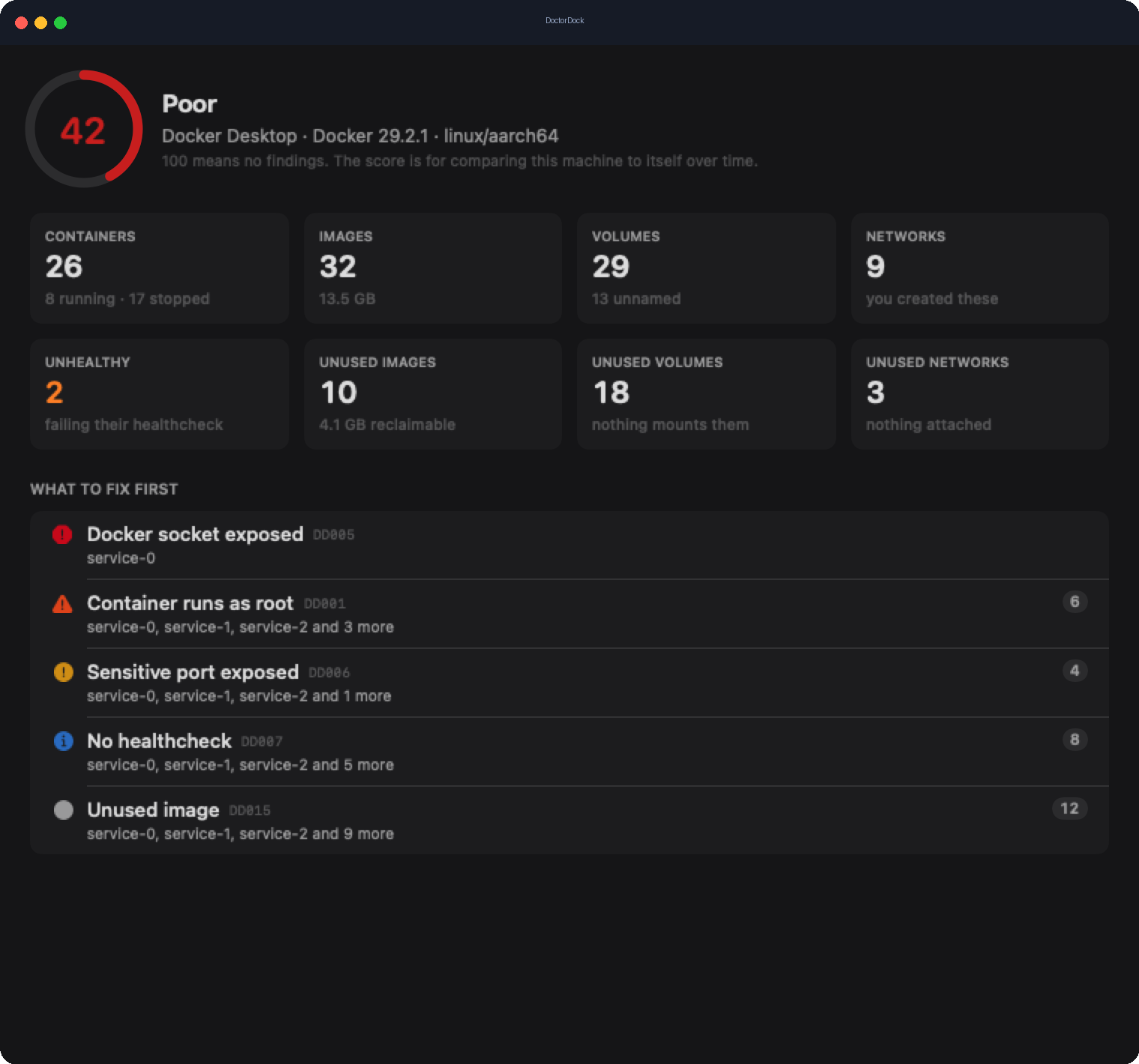
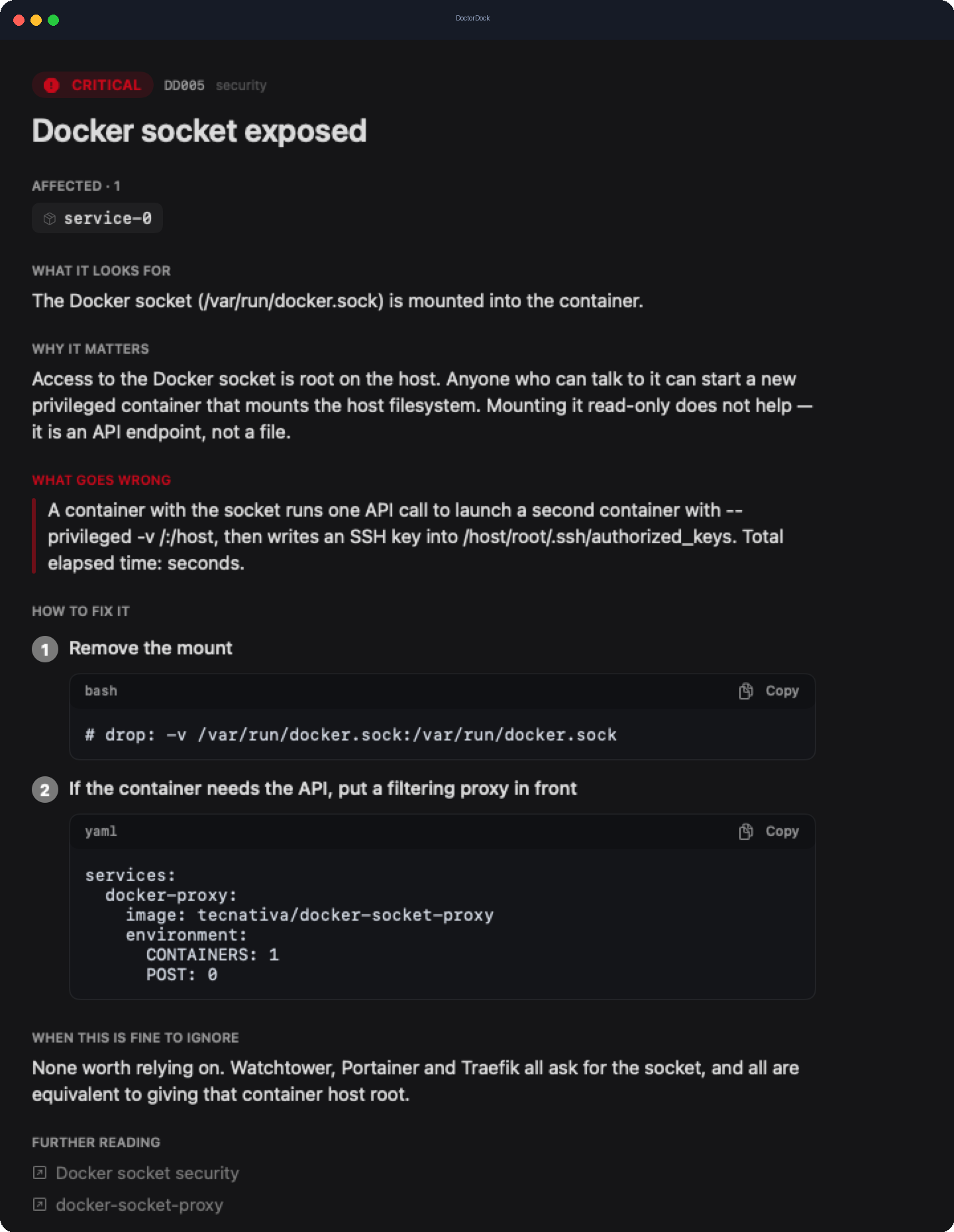
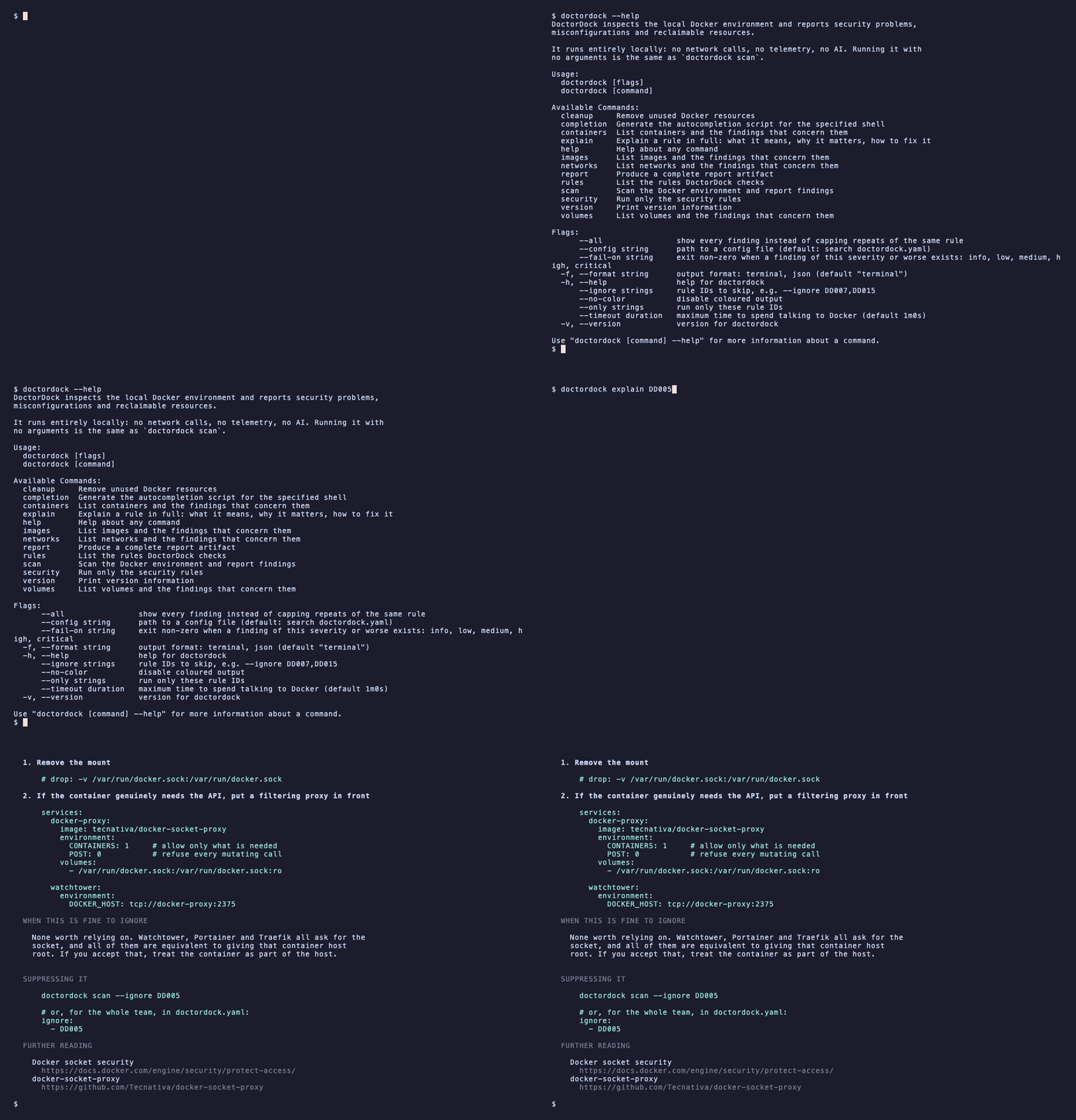
Every finding explains itself — what it looks for, why it matters, and copy-paste fixes.
Six months in, the average machine has a container mounting the Docker socket, three databases open to the network, a dozen containers running as root, and gigabytes of images nothing uses. DoctorDock finds all of it.
Every finding is deterministic code you can read. The same environment always produces the same output. No hallucinations, no surprises.
Zero network calls. No CVE feed to sync, no account, no update check. It opens exactly one local socket — Docker's — and nothing else.
Container environment variables are read as key names only. A value can't reach a report, so scans are safe to run against production.
A full scan of dozens of containers and images takes under a second. Fast enough to run dozens of times a day, or in CI on every push.
Reclaim gigabytes of unused images and networks. Nothing is removed without --apply, and a volume is never touched without asking twice.
JSON output and opt-in exit codes. Gate a deploy with doctordock scan --fail-on high — 0 clean, 2 for HIGH, 3 for CRITICAL.
Both doctordock and the short alias ddock are installed. Free, no account needed.
brew install iamcanturk/tap/doctordockgo install github.com/…/doctordock@latestdocker run … ghcr.io/iamcanturk/doctordockdoctordockSecurity, configuration, resources and cleanup. Every rule explains itself — what it means, why it matters, and how to fix it.
The things people ask before running a scanner against their Docker.
DoctorDock is a local-first command-line tool, with a native macOS menubar app, that scans your local Docker environment and reports security problems, misconfigurations, and reclaimable disk. A full scan takes under a second and ends with a Docker health score out of 100.
No. Every finding is deterministic Go code you can read, so the same environment always produces the same output. There is no model in the analysis path and nothing is guessed. If AI ever appears, it will only ever explain the results — never produce them.
It is fully offline. Zero network calls, no telemetry, no account, no update check. DoctorDock opens exactly one local socket — Docker's — and nothing else. It runs air-gapped and inside a locked-down CI runner.
Trivy and Grype scan images for CVEs and need a vulnerability database, and therefore a network. DoctorDock deliberately does not scan for CVEs — that is a solved problem. It covers the configuration layer those tools don't look at (how your containers are actually run) and stays offline as a result.
Yes. Container environment variables are read as key names only; their values never enter memory in a form that could reach a report. And cleanup never deletes anything unless you pass --apply — a volume is never touched unless you ask for it by name.
On macOS: brew install iamcanturk/tap/doctordock. On any platform with Go: go install github.com/iamcanturk/DoctorDock/cmd/doctordock@latest. It is free and open source under the MIT license — no account needed.

The score sits in the menubar, colour-coded, and rescans on its own. Click it for the findings and a one-click cleanup — the same engine as the CLI, so the two never disagree about a number.
Export a 16:9 card of your score and resource counts and post it anywhere. It carries only aggregate numbers — never a container name, an image tag, a port or a path — so it is safe to share in public.

No AI to send your data to, no server to phone home, no account to create. DoctorDock reads the local Docker socket and writes to your terminal. That's the whole system. The shareable card carries only aggregate numbers — never a container name, an image tag, a port or a path.